Unfortunately, the Sellers Assisting Sellers Team is now closed. We are unable to help you with any Etsy or business questions.
Thank you to the mentors who dedicated their time to the Etsy community over the years!

Friday, October 30, 2015


Tuesday, August 27, 2013
In case you missed it: Many new Features!

In case you've missed the news lately, Etsy has rolled out a number of updates and new features to your selling and buying experience.
Feedback is rolling over to a 5-star system with new ways to edit and resolve feedback issues with buyers.
Item listings have a whole new look with more information.
New Shop Dashboard helps you manage your shop with stats and orders status at a glance.
Tuesday, June 11, 2013
Tutorial: Google Keyword Tool
How
to Use the Free Google Keyword Tool
I get a lot of people asking how to use the
Google Keywords Tool to do keyword research for their shops, so I threw
together a quick tutorial with screenshots for those who find it too
intimidating.
The Google Keyword Tool is found here: https://adwords.google.com/select/KeywordToolExternal
The tool does several things:
1)
tells you how many people
search a specific term each month on Google
2)
tells you how much competition
there is for the phrase from people buying Google Adwords.
3)
gives you other related terms
that you might not have thought of using
Load the Tool, and start filling out your first search keywords. It will look like
this (click to see image larger):

1)
enter your main search term
2)
click the “x” to change the
search options to worldwide instead of your country
3)
enter the “captcha” letters
(those weird words in black) into the box
4)
click “Search”
Then you will see this (click to see image larger):

What does this mean? First, the top result
shows you that 880 people do searches on Google every month that include the
words “abalone earrings”. The keywords
beneath are Google’s suggestions, some of which will be completely irrelevant
for your item, but others will give you new ideas & info.
Do a quick skim through to get more keyword
ideas to try, and then unclick the “Broad” search box on the top left, &
click the “[Exact]” box (see the arrow on the left, above). This will tell you
how many type the exact search you are researching every month. Clicking
“Exact” is a key step, or you may end up choosing keywords that aren’t
very popular by themselves & are therefore not particularly useful.
When you click “[Exact]” you will see:

[Exact] match tells you that 210 people
search “abalone earrings” on Google each
month, and that there is high competition for the phrase (as opposed to Medium
or Low competition), in terms of paid Google ads.
Clicking on the blue keyword links on each
line will give you several options including “Google Search” which takes you to
a Google search for that term, so you can see what is currently ranking on the
search pages. There is also a link to “Exclude term” if it is useless to you
& you want more relevant results, & one to show more phrases similar to
the one you click on – very useful!

Take note of all of the good keywords you
see (there can be up to 100) then enter another term to get more suggestions.
Keep doing this until you have a full list of keywords that describe your
items. Now you are ready to optimize one listing, several similar listings, or
even a whole website!
There are a few other things you can do
with this tool; here are a couple of more advanced tutorials including
different aspects of it:
But to do basic Etsy keyword research,
using the above tips & also checking the suggested searches on Etsy, you
don’t need to get too complicated, so only click on those links if you have
mastered the basics and are looking for more advanced ideas
Post by Cindy. Cindy is the co-captain of the SASsy Mentors team and an SEO expert.
Wednesday, February 6, 2013
USPS Announcement

You can read the full press release here: Press Release
Or the quick fact sheet here: Fact Sheet
 |
| images courtesy USPS website |
Monday, February 4, 2013
What do YOU want to know?

We are working on putting together a list of blog topics for the next few months and we would love to have your input! What would you like to see here?
- Is there a particular topic you would like help with?
- What questions would you like us to answer?
- I would really love a tutorial to show me how to do _________________.
- I need more resources for learning __________________.
Please leave a comment and let us know.
Tuesday, January 22, 2013
Shipping Rates go up January 27

If you haven't heard, shipping rates for most package services with USPS are going up on January 27. Most services have a pretty small increase, but some of the international rates have almost doubled! If you ship internationally, you should probably be prepared to do some updates. Check out this handy summary from Etsy or see the new chart from USPS.
Wednesday, November 28, 2012
Holiday Shipping Deadlines
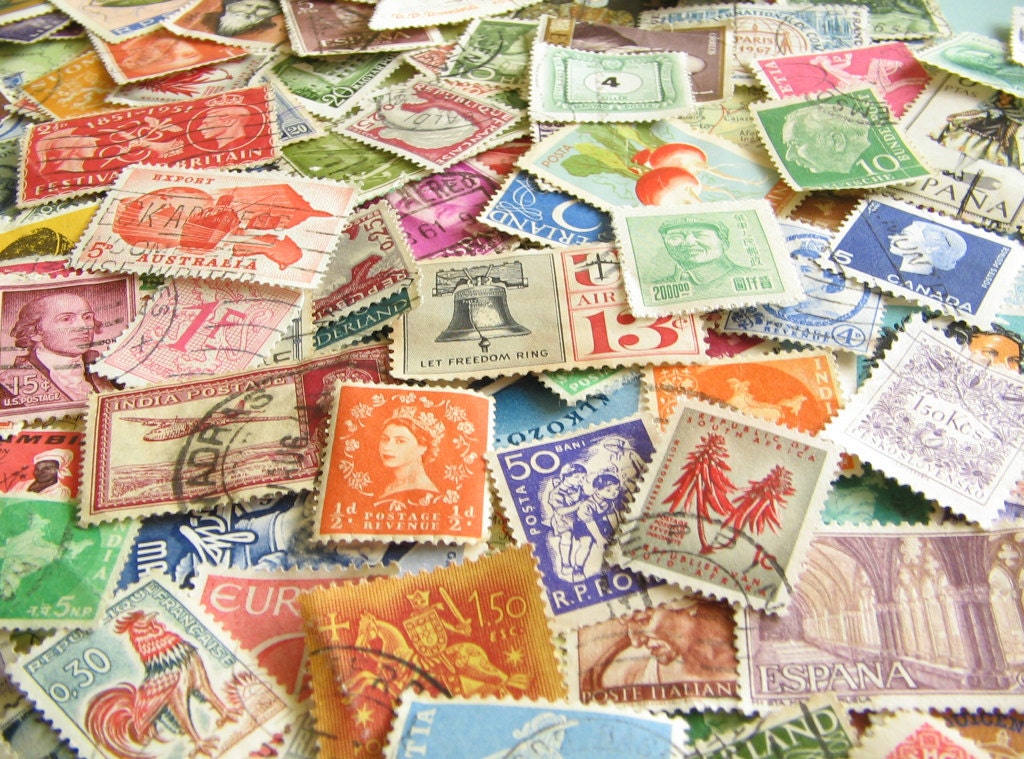 |
| Vintage Postage stamps by TheBrightonEmporium.etsy.com |
It can't be time to start thinking about holiday shipping already?
Here are some helpful links to some of our favorite shipping companies with deadlines for making your shipping adventures a little more stress free this holiday season:
USPS Shipping Deadlines
Fed Ex Shipping Deadlines
UPS Shipping Deadlines
DHL Shipping alerts
Wednesday, October 24, 2012
How to: Getting Started in the SASsy Critiques Forum
 Every day we have a few new Etsy sellers apply to the SASsy Critiques team. With all of these new users, we thought it might be helpful to write a little guide to the SASsy Critiques forum.
Who can join?
Anyone can apply to be a part of the team, but you have a little homework to do. First you need to read the Shop Critique Checklist, which is located right here. Why? This checklist answers many of the questions that new sellers have and it has lots of links to great information for the most frequently asked questions. By going through the checklist, you might be able to answer many of your questions on your own. After you have read the checklist, come back and apply to the team.
We also encourage all of the SASsy Mentors to be a part of the Critiques team. These mentors are there to participate in the discussions as a voice of experience. They should identify themselves as a "SASsy Mentor" in their comment, so you will know who they are.

Post a question.
Once you have been accepted to the team, you can start a new thread with your question by clicking the "Create Thread" link at the top of the discussion list. Be sure you are asking a specific question like "I would like some help with my titles. I don't think they are helping me get many views." or "Please critique my photos, I don't know if the background color is working for my items"We cannot do a full shop critique, as it says in the forum guidelines. If you post a question like "Please look at my shop and tell me what I am doing wrong.", we will probably ask for you to narrow it down and be more specific.
Be a part of the discussion.
Everyone is encouraged to be a part of the discussion to answer a question. If you know the answer or have an opinion, please chime in.
What are the rules of the forum?
They are pretty simple. First, please be respectful. The forum is about helping each other and being constructive in your comments.
We won't critique your prices or your art technique. Only the seller can know what is an appropriate price for an item based on costs, overhead and desired profit.
Your questions have to be about your shop. We can't help you with critiques of Treasuries, Facebook pages, blogs etc.
No "critique me and I will critique you" games or promotional threads, please.
And you need to abide by Etsy's Terms of Use: http://www.etsy.com/policy/terms
What if I want to talk to a mentor one-on-one and not have a discussion in the forum?
That's great! That's why we have our Mentors List. Sometimes you have a question about a difficult situation with a customer or you just want a little more personal conversation. Look at the list, choose a mentor who specializes in the topic you are looking for and send them a "conversation".
You don't need to be a member of any team or forum to contact one of our mentors. If you have a question, please ask!
Monday, October 15, 2012
New Etsy Feature: Browse Pages
 Earlier this week Etsy introduced new “browse pages” which
have taken the spot of the Discover pages & the listing categories on the
Etsy home page.
Earlier this week Etsy introduced new “browse pages” which
have taken the spot of the Discover pages & the listing categories on the
Etsy home page.
You can read the announcements here:
& there is a basic help file here on how it all works:
Despite the admin announcements, there are still a lot of
questions, & a lot of confused sellers. Here are some basic pointers that
address some of the most common concerns:
How are those Browse pages created? How do I show up there?
To fill the browsing pages, Etsy does many smaller
searches for related words, & then combines them & sorts the listings by
relevancy.
“our system looks across the entire marketplace for items
that are relevant to the themes of the particular browse section, and then it
displays those items sorted by relevancy.”

For example, for the browsing page Jewelry -> Earrings -> Eco
Friendly
Etsy does smaller searches including "eco friendly" & “upcycled”, then
combines the results. This is why the browsing pages looks very different than
if you searched “eco friendly earrings” – they contain different searches,
& the browse page does not need to match the exact phrase as the relevancy
search does. Some of the listings do not even have the words “eco friendly”
anywhere, but they do have words that fit the “eco friendly” theme.
Listing Categories & Browse Categories are different.
A lot of people are upset that the browsing pages do not
match the listing categories, but that should not affect your placement, since
the listing categories have little impact on where you show up in the browsing
pages. So I can list a new necklace in Geekery -> Science -> Jewelry
& it could show up on the browsing page for Jewelry -> Men -> Necklace,
since it has the words “men” & ”necklace” in the title. It doesn’t matter
that the categories we use to list new items do not include “men” under Jewelry;
the most important part is that you tag & title using the words Etsy is using
to search to fill that browsing page. (Unfortunately,
Etsy is not going to tell you what those words are, so you will need to look through
the pages & figure each one out for yourself. But if you tag & title
using a diversity of strong keywords, you should eventually show up in these
pages)
Playing favorites?
There have been a lot of complaints that too many
listings from the same shops are showing up, & Etsy appears to be looking
into that. They have also already made a few changes to which browse page some
items show up on. It will likely take a few weeks for this to be ironed out,
& expect it to change periodically, just as the relevancy search does.
Recency still matters & shoppers behaviour influences the ranking.
Just like the regular relevancy search on Etsy, ranking
on the browsing pages gives some weight to the most recently listed items, as
well as to “aggregate shopping and browsing behaviour”. This means that what
people do with your listing when they see it on Etsy matters to your ranking.
I hope this clears up some questions! Please ask more in the
comments if you have them.
Guest Post by Cindy, SASsy Team Co-Captain
Monday, October 1, 2012
News you might have missed
Seller Protection, Google Ads and Wholesale: Etsy has made some pretty big announcements lately. Just in case you have been busy and missed the big news
"Etsy’s new, comprehensive Seller
Protection Program will ensure that our members have a safe and smooth
experience buying and selling on Etsy. "
"Google Product Search will soon be moving towards a paid-only model, but fret not — we’ve got your back."
"We’ll soon be launching Etsy
Wholesale — a place for vendors and retailers to connect and discover
unique products."
Wednesday, September 26, 2012
Words of Wisdom Series: What Camera Do I get?
 |
| Raspberry Necklace by inedible jewelry |
In this series, we ask the SASsy Mentors for their "words of wisdom" about a specific topic. This month, we asked Emma from benconservato, Jenny from thepaintedlily, Lauren of sugartreecreek, Ilze of ilzesmemories, Jessica of inediblejewelry and Becka of beckarahn this question:
What camera do you have and what is the best/worst feature about it?
Our panel was in agreement on several recommendations:
- New or old doesn't matter. What is important is knowing your camera and learning how it works to get the results you want.
- Manual settings including the ability to select ISO, adjust white balance, shutter speed and aperture give you lots more flexibility for different lighting situations.
- Sometimes it is more about the light than the camera. Making sure that you have bright, even illumination is going to help your photos look great. Many recommend using natural light, but you can also get great results by using other light sources combined with the right camera settings.
Becka, Emma and Jenny are all fans of the Canon Powershot G Series, both older and newer models. (Becka has a G9 and G12, Emma has the G10.) The color/white balance is great. The PowerShots have lots of settings you can adjust (ISO, white balance) and many features (that you usually only find in a DSLR) in a point-and-shoot style body. Macro mode is excellent. The G12 model has auto-detect for macro shots so you don't need to switch the modes back and forth.
Jenny's tip: It's nice to be able to have a smaller camera sometimes to shoot things when I only have one hand available. I model my own rings for the shop and it's great to have a nice, light camera to shoot those with.
Lauren recommends the Canon Rebel 3i and Canon 5D but has this to say about getting a DSLR: I use a Canon 5D, because I am also a professional photographer. I set it on manual, meter the light and use the macro lens. But don't think you need an expensive camera for a good picture of your craft. These cameras have lots of settings which means lots of knowledge about your camera.
Panasonic
Panasonic DMC-TZ3 Lumix with the Leica lens. Emma says: It has good and bad points. Sometimes it adjusts the light in a way you don't want it to - it looks fine on the screen, and the shot is then dark or blue in tint or very yellow... annoying. I usually have to slightly adjust the photos in PhotoShop anyway. I am not the only person I have spoken to who has light issues with this camera.
Nikon
Jenny says: I currently use a Nikon D80 that I've had for a few years. I love that it's easy to shoot with and that it works so well with natural light. I shoot on a tripod with side light from a window and I never use a flash. I shoot on my macro setting to be able to get great details and super close ups.
Ilze says: I shoot with Nikon D300 for 3 years now, and I really love it. There have been few generations that already have followed with improved and added features, but my D300 has great shutter speed, minimal noise, and variety of lenses available. I use it in my photography business as well as my etsy business.
Olympus
Jessica says: I use a 12 year old Olympus; I'm not sure of the model. It was a decent, mid to high end camera ...in the late 90s. I am looking to upgrade, primarily because I've reached the technical limits of my camera and the photos need to be more high-res in the future. My favorite aspect of the camera (and a feature I can't recommend strongly enough!) is that it's super easy to manually set the white balance. I just snap a photo of a piece of white card stock, then hit a button to let my camera know that's white in my current light condition. My camera then automatically corrects for my lighting, which means my colors come out very true to life.
Monday, September 10, 2012
More on thinking about your Customers

If that last post got you thinking about your potential customers, this one will definitely give you some more to think about, especially if you make patterns or kits. Check out what stuffed toy artist and blogger Abby Glassenberg has to say about the idea that "Each new customer is looking at listings with something unique in mind."
Tuesday, September 4, 2012
Guest Post: How to Find More Paying Customers for Your Handmade Shop

I’m Lisa Jacobs of Marketing Creativity, where I help handmade sellers build their creative businesses into the career of their dreams. I’m so excited to be here today, and I’ve been a proud member of Team SASsy for some time now.
I
appreciate your attitude and willingness to learn. Simply being readers
of this blog and followers of this team shows your dedication to the
creative businesses you’re trying to build. Your effort alone is
something to be proud of, and I ask that you never forget:
Somebody is out there, right now, just waiting to pay you to do what you love to do.
As
handmade artists, you offer a unique value: you provide your customers
that special feeling only an item made from passion can produce. Artists
and crafters love what they do so much that they often cringe at the
idea of targeted marketing. In fact, the notion of cold-selling what’s
been made with a warm heart makes many creatives downright
uncomfortable.
However,
targeted marketing simply means finding the customers who desire your
work, and it's time to show the world what you've got to offer. So, how
do you find your paying customers?
In
the handmade community, we often count fans, sales, followers, and
favorites, but the number that adds to your bottom line, the audience
who will truly help you fund your passion is composed of paying
customers. They will help your business grow, your talents expand, and
your skills improve. This audience is composed of the people who “get
you” and they want what you’ve got to offer. These are “your people.”
How to Find "Your People."
 If
your product is for everybody, it’s for nobody, because nothing is for
everybody. Realize that your product isn’t for everyone; it’s for a
select few who share your taste, and have an eye for your art and a love
for quality handmade. If you could tell the whole world about your
product right now, and then separate the interested buyers from the rest
of the population, you could never keep up with the demand from that
interested sea of paying customers … not by yourself, anyway.
If
your product is for everybody, it’s for nobody, because nothing is for
everybody. Realize that your product isn’t for everyone; it’s for a
select few who share your taste, and have an eye for your art and a love
for quality handmade. If you could tell the whole world about your
product right now, and then separate the interested buyers from the rest
of the population, you could never keep up with the demand from that
interested sea of paying customers … not by yourself, anyway.
In
order to find “your people,” you have to identify them first. Do this
by narrowing it down to one person: the ultimate fan of your art. Now,
about that person:
- Is she single or married?
- Does she have children?
- Does she exercise, and if so, what's her preferred method?
- Is she conventional or quirky?
- Which magazines does she subscribe to?
- What are her favorite television shows?
- Who are her role models?
- What hobbies does she have? Is she a crafter or artist too?
- What does she dream of doing/seeing/being one day?
- How do (or will) your products make her feel?
There
are many benefits to answering these types of questions about your
target audience. Identifying this person will help you generate a whole
list of ideas on where she might be hanging out (and how you can
approach her). It will help you determine your niche market, because
your niche market is the sea of people doing much of the same.
Building Your Creative Business: Free Webinar
I’m
doing a free webinar, exclusively for readers and members of Team SASsy
on Building Your Creative Business. On Wednesday, September 5 at 7PM
(EST), I’ll be discussing how to improve your shop, gain exposure, and
find more paying customers for your creative business.
It’s one jam-packed hour of brainstorming, networking, and live Q&A. Your seat is free, but spaces are limited. To reserve your spot, please click here and complete the sign-up form.
Thank you!
I
want to thank the members of Team SASsy for all that you do! Thank you,
Becka, for writing and maintaining this fabulous blog. Please keep up
the good work! I wish you continued success and all the best.
Lisa Jacobs writes Marketing Creativity for fellow creative spirits who aim to build a career with their own two hands. She leads group webinar programs and offers one-on-one coaching designed to help you get paid to be ... you.
Monday, August 27, 2012
Polish Your Photos Series: Quick Tip #5 Know When to Say No
Another great photography skill you can learn is knowing when to just throw away a photo and move on. So often I hear people say "I will just Photoshop it," with the confidence that Photoshop can fix every problem. Sometimes that just isn't the case.
Here are some examples of "No Photoshop Fix" photos, with ideas of what you might do when you re-shoot the photo to correct the problem.

 Problem 1: Focus
There is no amount of sharpening that can fix something that is blurry. Even if your photo looks ok as a thumbnail, when the customer clicks and it is one big blur, that is probably not going to result in a sale. For the top photo, there is great sharp focus in the center and blur around the edges. This is your camera creating a tiny depth of field. Sometimes it can be an amazing artistic effect (think macro shots of a single flower bud with a soft fuzzy background), but not always what you are going for.
Problem 1 Re-Shoot Fixes:
For the top photo, the way to get everything sharp and in focus is to add more light. Adding a brighter lamp or waiting for a sunnier day will get more light in the camera, increase the depth of field and make everything in focus.
For the bottom photo, the easiest fix is probably to turn on the camera's macro mode. This ball of yarn is so close to the camera that it is having trouble finding the focus. Macro mode (tulip icon) will help the camera focus really close and get a great detail of the yarn.

 Problem 2: Over Exposed and Under Exposed
These are also two related but opposite problems. In the top photo, there is a big reflection (too much light) on the glass and in the bottom, the whole photo is really dark. You can do a little Photoshopping on these, but the problem is that in the very brightest brights and darkest darks, the camera didn't capture all of the data. It just saw that big white blob as 100% white and not as 100 shades of something else. So there are no colors left to tweak and try to adjust, just white.
Problem 2 Re-Shoot Fixes:
For the top overexposed photo, the key is to make that reflection go away. A light box to soften and diffuse the bright glare might help. Sometimes positioning yourself at a different angle will let you not see a reflection. You can also try using a bright white piece of paper to reflect light back at your piece instead of pointing a lamp right at it. Point the lamp at the paper instead.
For the underexposed photo, adding more light is going to be a big help. If you have some manual settings on your camera, it will also help to open up the aperture to allow more light in. Aperture is adjusted by choosing a smaller f-stop. (Smaller numbers = more light) Want to learn more? Read this article.
 Problem 3: Too Many Light Sources
Believe it or not, the photo above is a yellow ball of thread on a white background. The background has acquired a lovely gradient caused by the light sources I used to take the photo: a very yellow tinted incandescent lamp (top right) and a blue tinted light from the kitchen window (lower left).
Problem 3 Re-shoot Fixes:
One or the other of these color shifts is pretty easy to fix (see this article), but fixing both problems in the same photo is really difficult to keep your item looking the color it is supposed to be. The solution is to try to use one kind of light source. Switch to all lamps/lights (make sure they all have the same kind of bulbs), find a brighter window or take it outside.

What are your photo problems?
Please add your questions in the comments and we will try to address them in future blog posts!
-- Becka, SASsy Team Co-Captain
Here are some examples of "No Photoshop Fix" photos, with ideas of what you might do when you re-shoot the photo to correct the problem.


There is no amount of sharpening that can fix something that is blurry. Even if your photo looks ok as a thumbnail, when the customer clicks and it is one big blur, that is probably not going to result in a sale. For the top photo, there is great sharp focus in the center and blur around the edges. This is your camera creating a tiny depth of field. Sometimes it can be an amazing artistic effect (think macro shots of a single flower bud with a soft fuzzy background), but not always what you are going for.
Problem 1 Re-Shoot Fixes:
For the top photo, the way to get everything sharp and in focus is to add more light. Adding a brighter lamp or waiting for a sunnier day will get more light in the camera, increase the depth of field and make everything in focus.
For the bottom photo, the easiest fix is probably to turn on the camera's macro mode. This ball of yarn is so close to the camera that it is having trouble finding the focus. Macro mode (tulip icon) will help the camera focus really close and get a great detail of the yarn.


These are also two related but opposite problems. In the top photo, there is a big reflection (too much light) on the glass and in the bottom, the whole photo is really dark. You can do a little Photoshopping on these, but the problem is that in the very brightest brights and darkest darks, the camera didn't capture all of the data. It just saw that big white blob as 100% white and not as 100 shades of something else. So there are no colors left to tweak and try to adjust, just white.
Problem 2 Re-Shoot Fixes:
For the top overexposed photo, the key is to make that reflection go away. A light box to soften and diffuse the bright glare might help. Sometimes positioning yourself at a different angle will let you not see a reflection. You can also try using a bright white piece of paper to reflect light back at your piece instead of pointing a lamp right at it. Point the lamp at the paper instead.
For the underexposed photo, adding more light is going to be a big help. If you have some manual settings on your camera, it will also help to open up the aperture to allow more light in. Aperture is adjusted by choosing a smaller f-stop. (Smaller numbers = more light) Want to learn more? Read this article.

Believe it or not, the photo above is a yellow ball of thread on a white background. The background has acquired a lovely gradient caused by the light sources I used to take the photo: a very yellow tinted incandescent lamp (top right) and a blue tinted light from the kitchen window (lower left).
Problem 3 Re-shoot Fixes:
One or the other of these color shifts is pretty easy to fix (see this article), but fixing both problems in the same photo is really difficult to keep your item looking the color it is supposed to be. The solution is to try to use one kind of light source. Switch to all lamps/lights (make sure they all have the same kind of bulbs), find a brighter window or take it outside.

What are your photo problems?
Please add your questions in the comments and we will try to address them in future blog posts!
-- Becka, SASsy Team Co-Captain
Wednesday, August 22, 2012
Why does that t-shirt cost $75?
A really great "food for thought" article by a handmade clothing designer about thinking through what really goes in to making her work.
http://whatthecraft.com/overpriced-cant-afford-handmade-pricing/
Thursday, August 16, 2012
Updates and things you might have missed
Etsy has made a few updates in the last little while. Here are a couple of items just in case you have been busy with summer barbecues (at least in the northern hemisphere.)
- Updates to the prohibited items list including tobacco, hazardous materials, motor vehicles and human remains. What a list! Etsy has clarified and added to some of the items that are prohibited in these categories and more. (August 8)
- (Aug 15) "We just launched a prototype that aims to make creating treasuries much faster and simpler by letting you to add an item to a treasury directly from a listing page." Learn more by visiting this link: www.etsy.com/teams/13135/add-item-to-treasury-from-item-page
Thursday, August 2, 2012
Shipping Labels are now built in!

Tuesday, July 31, 2012
When Craft Shows Flop
A nice commentary from a seasoned seller. Sometimes craft shows don't live up to expectations and things that were hot last year are a flop this year. Here are some ideas for helping get past the disappointment.
http://madeinlowell.blogspot.com/2012/07/surviving-bad-craft-show.html
Wednesday, July 4, 2012
Words of Wisdom Series: 5 Minute Marketing Tips

In this series, we ask the SASsy Mentors for their "words of wisdom" about a specific topic. This month, we asked Bob from BirchCreekLeather, CrochetGal and Lisa from EnergyShop for quick tips about marketing your shop and things you can do in just a few minutes a day.
- Go offline. Being involved with your local artisan guild does have its benefits as a great place to discuss the business of running your own business as well as exchanging ideas, venues and potential customers. Many people think that because their business has an online platform that everything must be done online and they forget about some of the 'old fashioned' methods.
- Friends and family don't have to be buyers but if they are aware of what you are doing, you will find that word of mouth advertizing can go a long way. Give them a few of your business cards to carry around too!
- With just a few minutes a day, you can grow and build a Pinterest board that represents what your shop is about. This can include inspiration, products, customer appreciation, and quotes. Lisa hosts bi-monthly "Repin-It-To-Win-It" contests on her board, featuring some of her most popular products. The customers love this, it grows the popularity of the board and helps promote those items. Here's an example: pinterest.com/energyshop/energy-shop-and-inspiration/
- Make sure your shop url is in your email signature and signatures in other forum posts, ie. "Visit my shop at <url>". (Make sure that the forum you are posting in allows ads.) Make your posts thoughtful and engaged with the topic (not self promotion) and people will want to learn more about who you are and what you do.
- Tweets, Facebook posts, and blogging about your shop 24/7 is not effective. Each of these venues should have a minimum of 75% interesting related content and less than 25% shop promotion in order to hold people's attention. No one wants to watch a TV channel that is 100% commercials. Draw people in with really compelling information and you will keep them around to see what you are promoting. (What is interesting related content? Try things like tutorials, behind the scenes photos, news or articles about your media or field, "how it's made", the ancient art form vs modern and so on.)
- Wear it, use it, live it. If you are using your soap, wearing your jewelry or carrying one of your handbags you have an easy way to start a conversation about what you do and show your passion about it.
Thursday, June 7, 2012
Hey, Look! There's a new About Page for your Shop

I just logged in to my shop today and discovered there is a new "About" page. What a nice surprise! You can read what Etsy has to say about it here in today's announcement.
The About page includes:
- an image of the shop owner and members of the shop (note: this is cropped to be a circle, so be sure to pick an image that has focus in the center)
- a short bio
- your shop "story" of how you got started and what you are all about
- 5 images
- ability to add links to Facebook, Twitter, other blog and websites
Subscribe to:
Posts (Atom)